One Month Pro
৳50/ 1 month
A flexible way to get your practice online.
Includes every Docxio Pro feature listed below.
Start Free Trial
One-time payment for one month
 Physician CMS
Create a professional doctor website without hiring a developer. Choose a design, add your clinic details, and make it easier for patients to find your practice and appointment options.
Check a Docxio web address, then create your account to build your site. A 15-day trial starts when you create your website.
Doctor Name
Medical Specialty
Introduce your practice, share useful clinic information, and help visitors find the next step.
Get started
Start your website setup in a few guided steps.
No Developers
Update visiting schedules yourself without a tech agency.
Subdomain option
Choose yourname.docxio.com for your website.
Light & Dark Editions
Three designs, each available in light and dark styles.
Your 15-day trial starts when you create your doctor website. Explore Docxio before choosing a Pro plan; no credit card is required.
Healthcare Discovery & Legitimacy
Give patients a public place to find the practice information you provide, such as clinic locations, visiting hours, professional background, and appointment options.
Share a public website with practice details, contact information, and directions supplied by your clinic.
Add qualifications and professional registration details to your profile. Docxio displays information you provide; it does not independently verify credentials.
Show the contact options configured for each practice, such as WhatsApp, phone, or website appointment requests.
Explore Docxio doctors
Browse published doctor websites and discover the profiles patients can find online.
Choose a doctor website template, add your practice details, and get your website started in about two minutes.
Choose from six website templates, each available in light and dark styles.
Choose a Docxio subdomain, such as dr-yourname.docxio.com, when publishing. A subdomain is included with website access.
Add your practice details, review the generated site, and publish it when the information is ready to share. Many doctors can get through the initial setup in about two minutes.
Start with a Docxio subdomain. Custom domains require separate registration and DNS setup.
check_circleDocxio subdomain included with website access • No credit card to register
6 Bespoke Clinical Architectures
Every template is designed exclusively for physicians. Compare distinct light and dark editions for high-contrast visibility and executive clinic appeal.
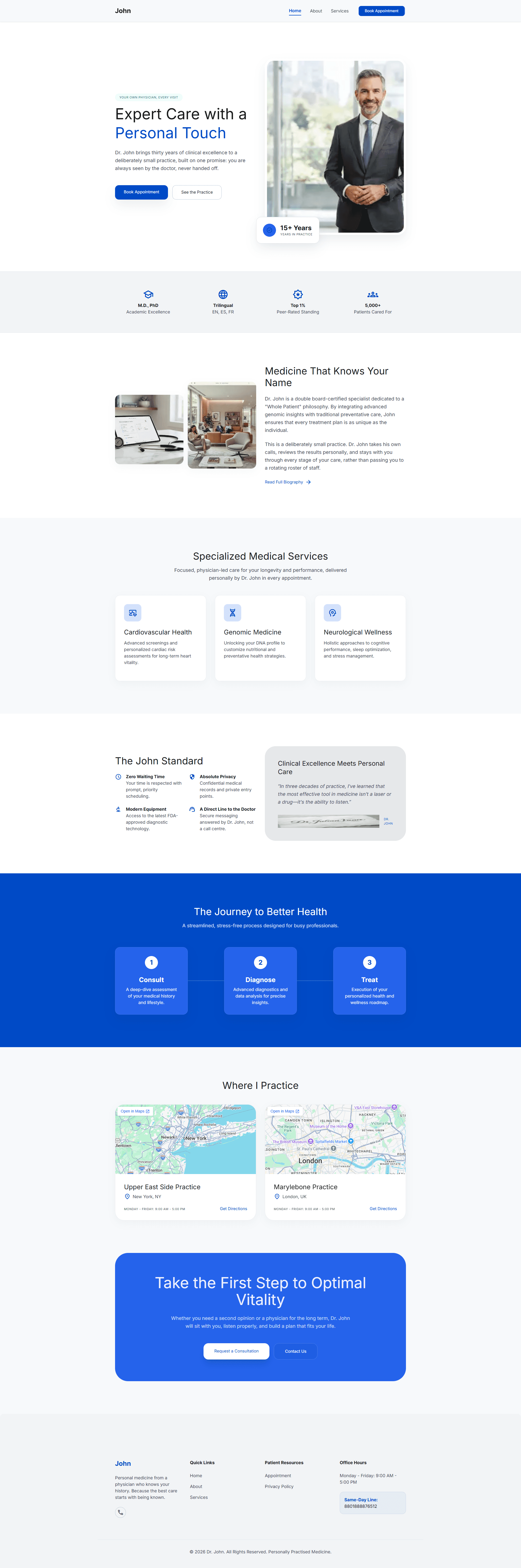
Warm, patient-centric layout with prominent physician philosophy, bilingual tags, and appointment booking modules.
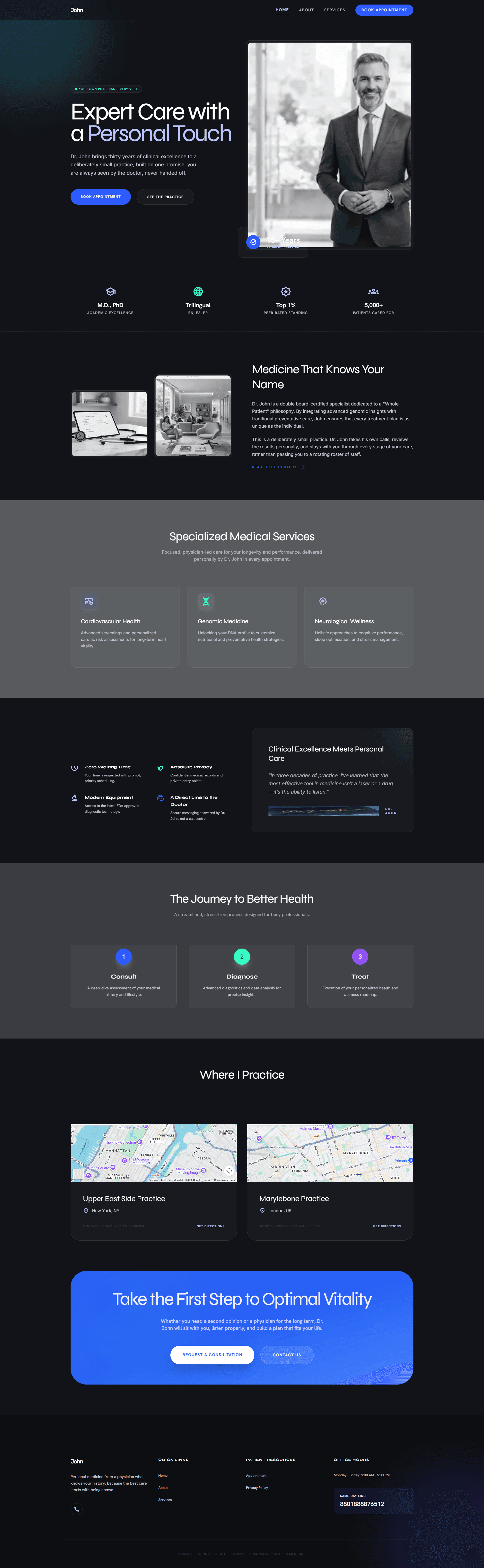
High-contrast midnight backdrop engineered for premium concierge doctors, private wellness clinics, and executive care.
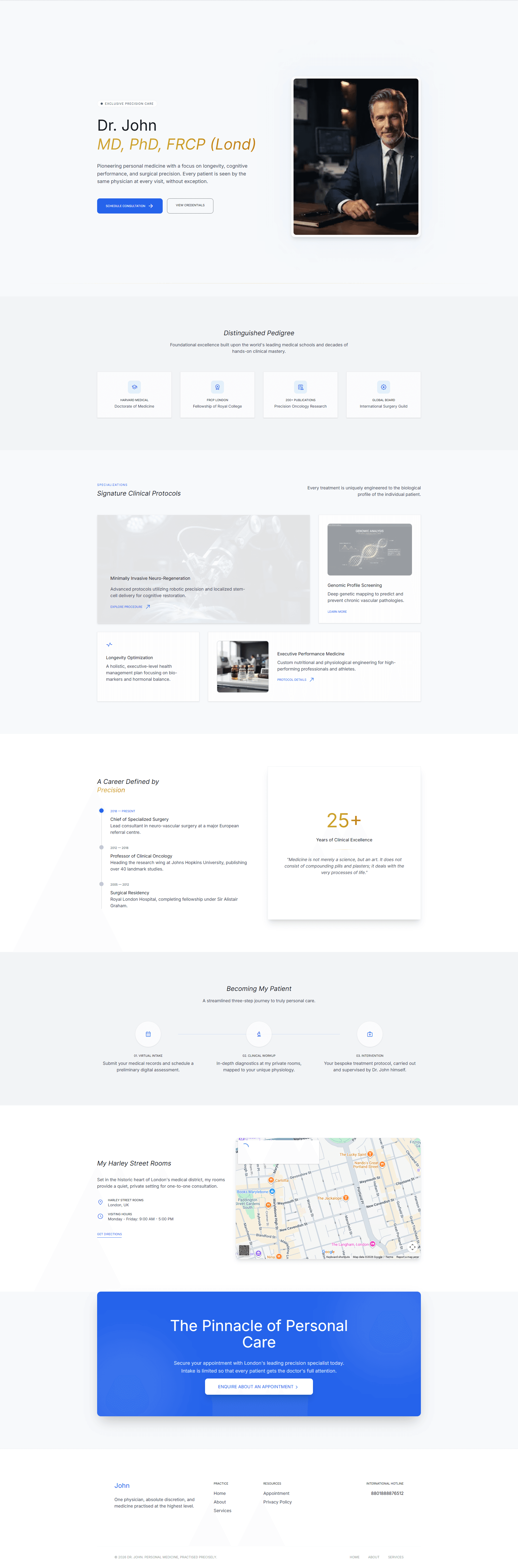
Designed for senior professors, specialized surgeons, and distinguished hospital consultants with clinical procedure portfolios.
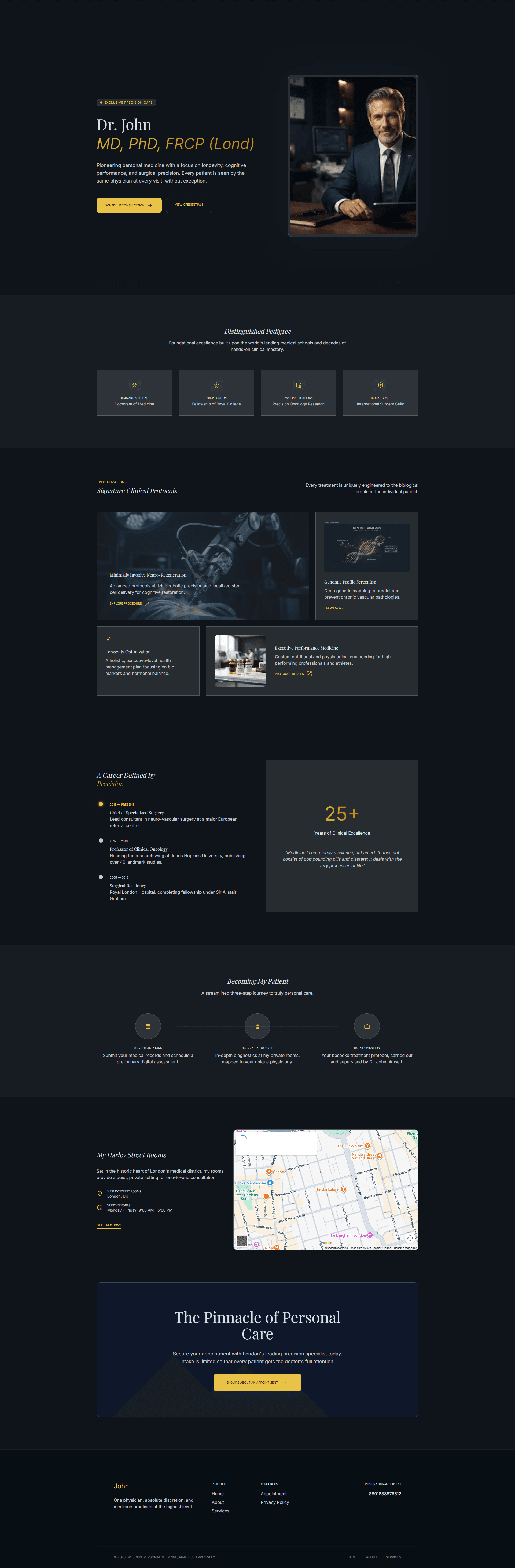
Unrivaled prestige styling combining warm gold typography accents with surgical dark room focus.
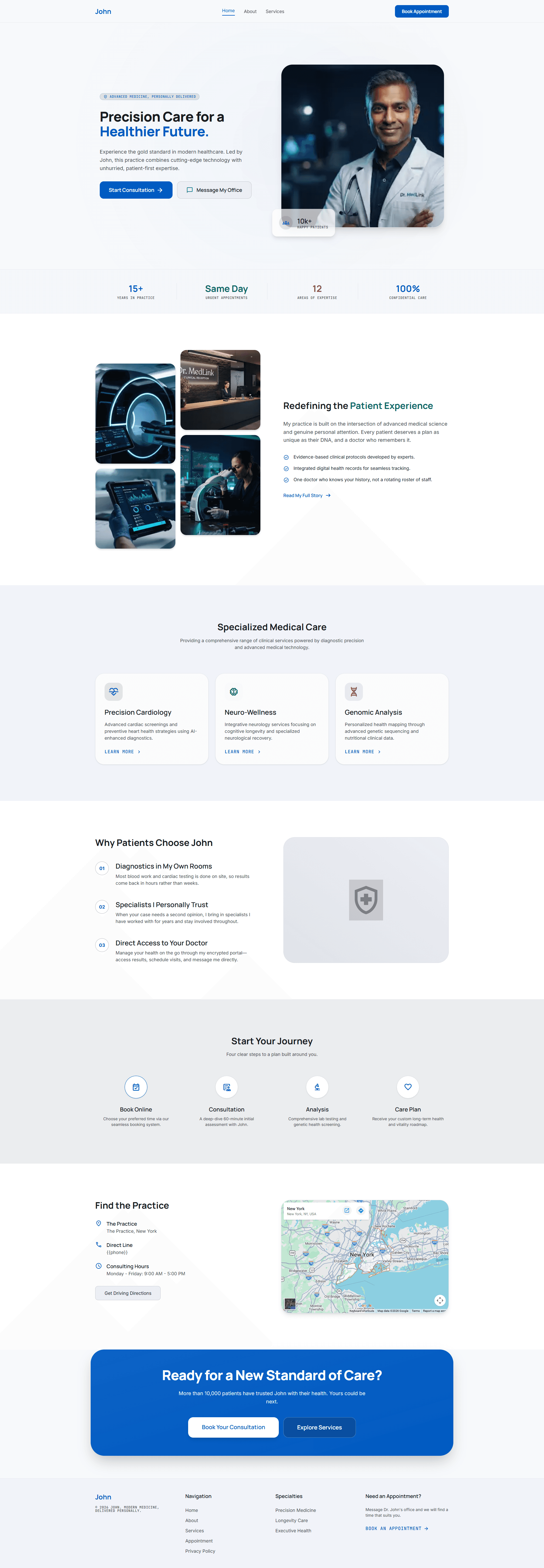
Designed for cardiology, neurology, and multichamber diagnostics with structured consultation stages and test lab breakdowns.
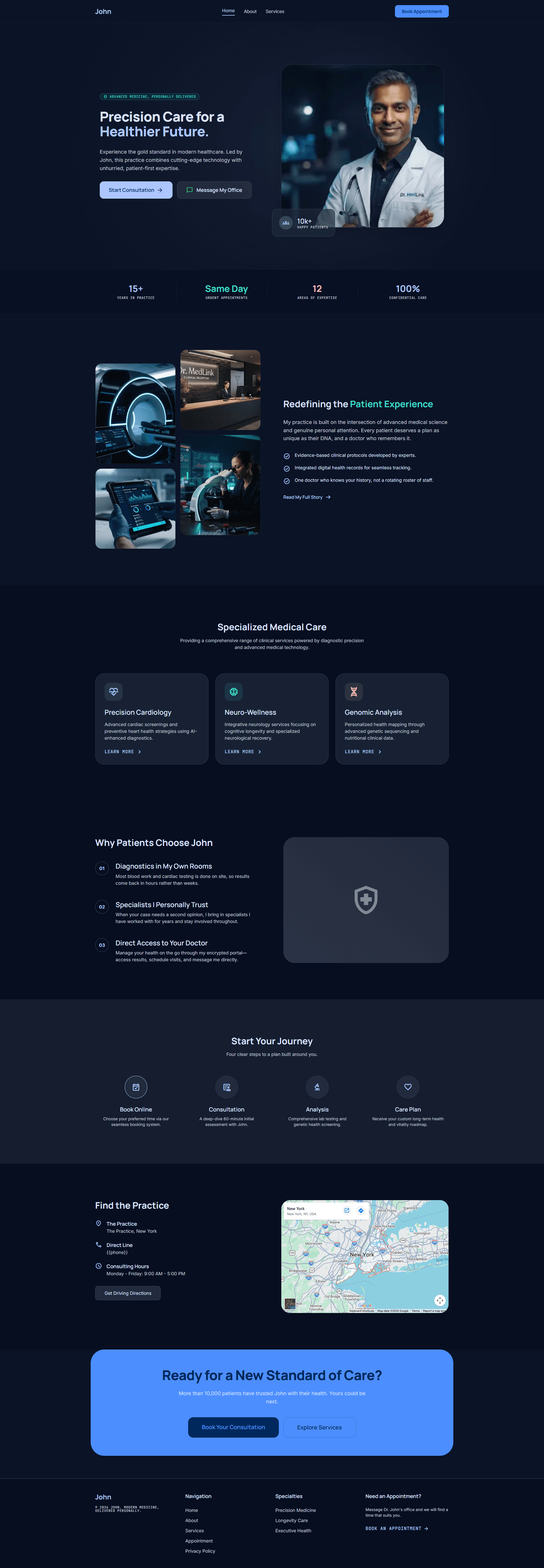
Futuristic clinical aesthetic with glowing cyan indicators, ideal for cutting-edge imaging, genomic, and interventional specialists.
Once published, keep chamber schedules updated, monitor Google presence completeness, and review patient inquiries from your dedicated backoffice.
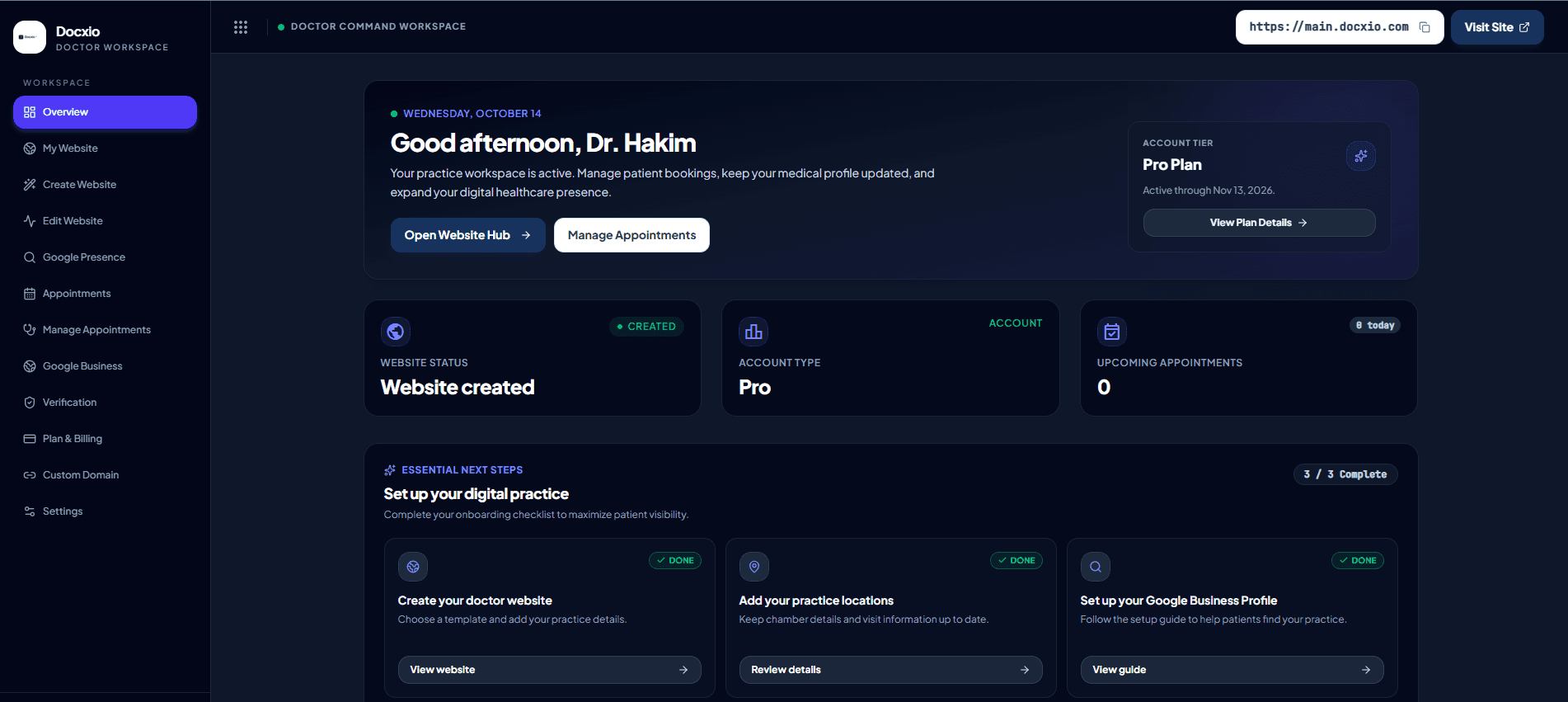
Website Management
Update Practice Details
Manage chamber information
Appointment Inquiries
Direct Chamber Intake
WhatsApp and telephone calls
Google Business
Google Business Guidance
Set up your business presence
Account Settings
Profile and Security
Manage your account preferences
Docxio provides editable page titles and descriptions, canonical URLs, crawl files, and structured data based on the doctor and clinic details entered in the profile. These foundations help search engines understand a site but do not guarantee ranking or indexing.
Doctor profile, clinic location, and appointment details entered for this example website.
Choose a yourname.docxio.com subdomain for your website. You can also connect a separately registered domain by adding the DNS records shown in the dashboard.
Your 15-day trial starts when you create a website. Then choose a Pro plan duration; no card is needed to register.
A flexible way to get your practice online.
Includes every Docxio Pro feature listed below.
One-time payment for one month
Six months of uninterrupted access for your practice.
Includes every Docxio Pro feature listed below.
Save ৳200 vs. monthly
Best value for building a lasting online presence.
Includes every Docxio Pro feature listed below.
Save ৳1,000 vs. monthly
Every Pro billing duration includes the complete set of features to create your website, connect with patients, and manage your online presence.
Everything you need to know about setting up your medical practice website.
None at all. Docxio was specifically built so physicians, consultants, and their clinic assistants can enter visiting schedules, degree titles, and chamber addresses without touching any code or dealing with technical hosting servers.
Many doctors can complete the initial setup in about 2 minutes. The time to review your details and finish publishing can vary depending on your profile and website content; check the dashboard for the current status.
You can publish on a Docxio subdomain, such as dr-yourname.docxio.com, without separately registering that subdomain. Website access is subject to the trial or active plan. A custom domain must be registered separately.
Yes. Add a custom domain through the dashboard and follow the DNS records shown there. You need to register and maintain the domain with a domain registrar; DNS changes can take time to propagate.
Depending on the booking preference you configure, your website can show WhatsApp contact, an appointment request form, or both. Keep the displayed clinic hours and contact details accurate.
Available payment methods are provided by the payment checkout. Review the methods and total displayed there before confirming a payment.
You can update your practice information from the dashboard. After saving changes, review the public website to confirm the updated details are displayed correctly.
Share your professional profile, clinic details, and appointment options on a website you can manage through Docxio.